
Install Harbor from Google Workspace Marketplace
A user in your organization needs Harbor approved for Google Calendar and email. Install the app from the Google Workspace Marketplace as an admin.
Complete these steps as a Google Workspace admin who can install marketplace apps for your organization.
Open Harbor on Google Workspace Marketplace
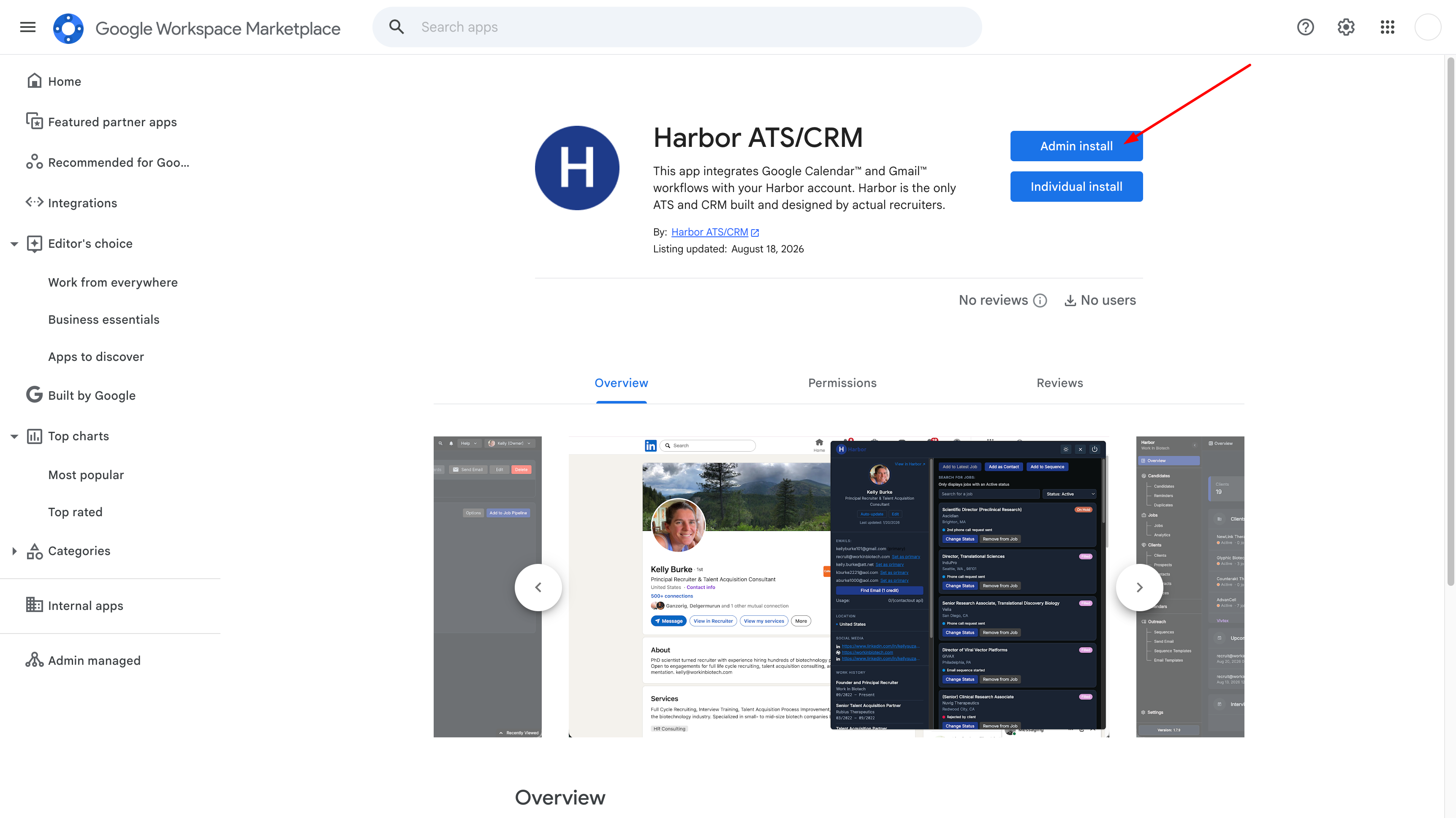
Sign in with a Google Workspace admin account and open the Harbor ATS/CRM listing: https://workspace.google.com/marketplace/app/harbor_atscrm/10834602247. Click Admin install.
Confirm admin install
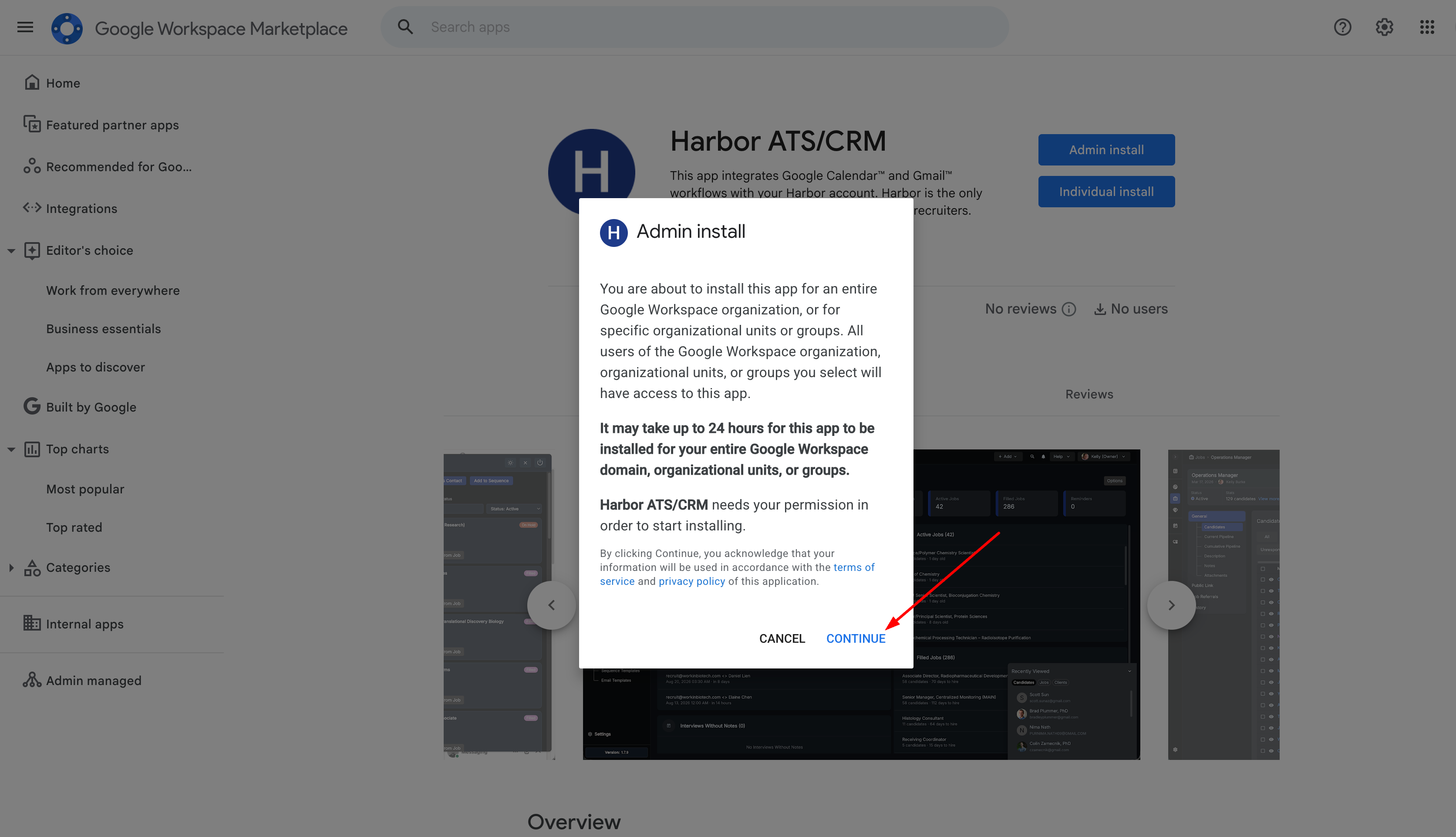
In the Admin install dialog, click Continue.
Grant permissions and finish installation
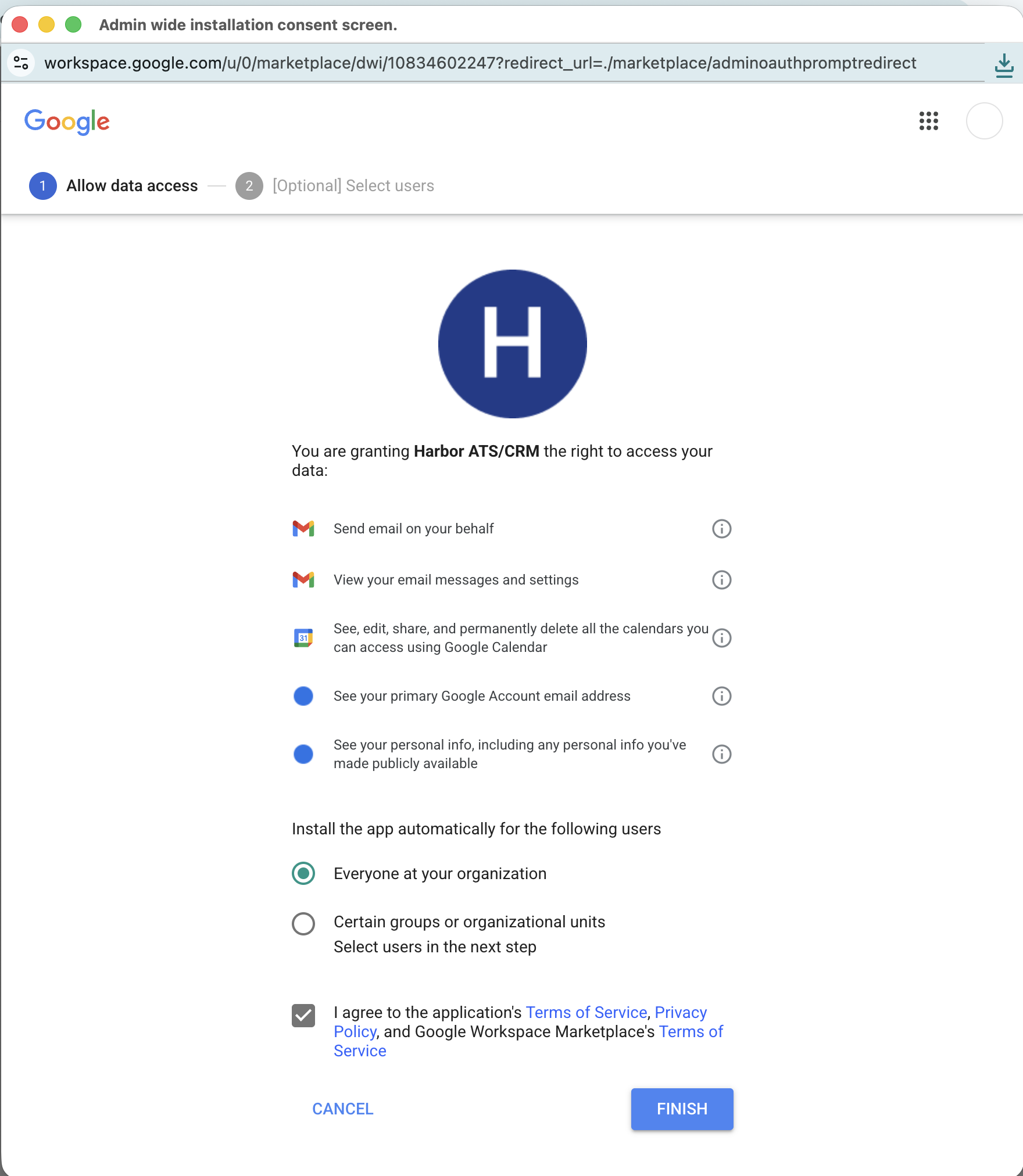
Review the permissions Harbor needs for Gmail and Google Calendar. Choose who to install the app for — typically Everyone at your organization — accept the terms, then click Finish. After installation completes, users can connect Google Calendar and email in Harbor without seeing an Access blocked error.
Support
For integration support, please contact us via Harbor Support.
No cookies. We collect anonymous-only data using plausible.io
© 2026 Work In Biotech LLC. All rights reserved.